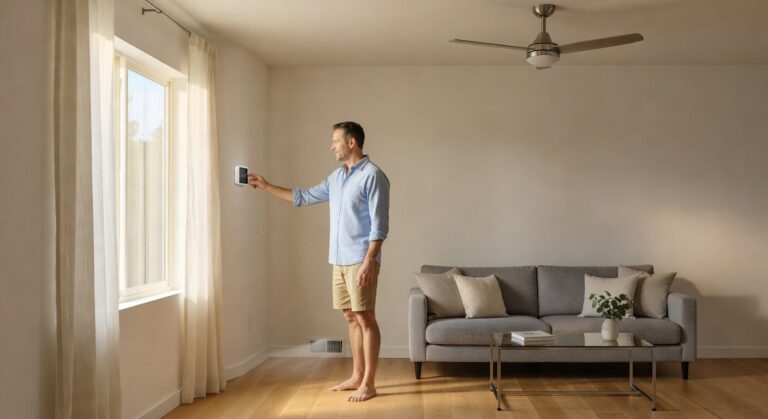
• Smart thermostat summer settings can help reduce cooling costs, improve comfort, and keep your AC from working harder than needed.
• Small changes like scheduling, airflow checks, and steady temperature control can make a big difference during hot Garden Grove days.
• These tips explain how to set your thermostat the smart way so your home stays cool, efficient, and ready for summer.
Why Summer Thermostat Settings Matter
When the weather starts warming up in Garden Grove, your thermostat becomes one of the hardest-working parts of your home. The wrong setting can make your system run longer than it should, which can lead to hot spots, higher bills, and more wear on the equipment. For homeowners trying to stay cool, smart thermostat summer settings can make a real difference in comfort and daily costs.
Many people set the temperature once and forget about it, but that can work against them during the hottest part of the day. A small change in your settings can help your home stay steady while keeping the AC from cycling too often. If your system is already struggling, we can help you make better use of your cooling setup through our cooling services.
Summer in Garden Grove can put extra pressure on older systems, especially when the house traps heat in the afternoon. That is why a smart thermostat needs to be set with both comfort and timing in mind. When we help homeowners adjust for the season, we focus on simple changes that support better airflow, steady cooling, and less wasted energy.
How Smart Settings Help Your AC
A smart thermostat gives you more control than a basic dial or manual thermostat because it can learn patterns and follow a schedule. That helps reduce unnecessary cooling when no one is home and keeps temperatures more even when you are there. Used the right way, smart thermostat summer settings can support better comfort without asking your AC to work harder than needed.
We often remind homeowners that the thermostat is only one part of the system. Good insulation, clean filters, and balanced airflow all play a role in how well your cooling setup performs, and a smart device works best when the whole system is in good shape. If your home has uneven temperatures or weak airflow, the issue may involve more than the thermostat and may point to a need for ductwork service.
Tips From The Pros
🌡️ Tip 1: Set a steady daytime temperature
Keep your thermostat at a consistent temperature during the day instead of making big changes up and down. Sudden swings can make your AC run longer and may leave your home feeling less stable.
🕒 Tip 2: Use a schedule that matches your routine
Program your thermostat to cool less when no one is home and return to a comfortable level before you come back. This helps reduce wasted cooling while keeping your home ready when you need it.
☀️ Tip 3: Adjust for afternoon heat
Garden Grove homes can hold more heat later in the day, so your settings may need a little more planning for peak sun hours. A slight change in the afternoon can help your system keep up more smoothly.
📱 Tip 4: Learn your thermostat app
If your smart thermostat has an app, take time to use the features it already offers. Many models allow remote changes, energy reports, and simple schedule edits that make summer settings easier to manage.
🧼 Tip 5: Keep filters clean
A dirty air filter can slow airflow and make your cooling system work harder than it should. Replacing it on time helps your thermostat settings do their job more effectively.
🏠 Tip 6: Close doors and windows during cooling hours
Even the best thermostat setting cannot help much if cool air is escaping. Keeping outside air out and cooled air in supports steadier indoor temperatures and less strain on the AC.
🔧 Tip 7: Watch for uneven room temperatures
If one room feels much warmer than the others, the problem may not be the thermostat alone. Uneven cooling can be a sign of airflow trouble, duct issues, or a system that needs attention.
📋 Tip 8: Review settings at the start of summer
Do not wait until a heat wave to check your thermostat. A quick review in early summer gives you time to set a better plan before the hottest days arrive.
Frequently Asked Questions
What are the best smart thermostat summer settings?
The best smart thermostat summer settings are the ones that balance comfort and energy use for your daily routine. A steady daytime schedule with small changes when you are away usually works well for most homes.
Should I turn my thermostat up when I leave home?
Yes, raising the temperature slightly when you leave can help reduce cooling use. A smart thermostat summer setting can handle this automatically, which makes it easier to save energy without coming home to a warm house.
How often should I change my summer thermostat settings?
You should adjust your settings whenever your routine changes or the weather shifts. Smart thermostat summer settings work best when they match your actual schedule instead of staying the same all season.
Why does my AC still run a lot with a smart thermostat?
Yes, this can happen if the home has airflow problems, weak insulation, or dirty filters. The thermostat can only control the schedule, while the rest of the system still needs to move cool air properly.
Can a smart thermostat help lower cooling costs?
Yes, a smart thermostat can help lower cooling costs when it is set up the right way. It reduces unnecessary runtime by following your schedule and keeping the home at more controlled temperatures.
Final Thoughts on Summer Comfort
The right thermostat plan can make summer feel easier, especially when the heat settles in and your AC has to work harder. With smart thermostat summer settings, we can help homes stay more comfortable while keeping energy use under control. Small changes now can save a lot of frustration later in the season.
If your home is not cooling the way it should, the thermostat may be part of the answer, but it is not always the whole story. We are here to help Garden Grove homeowners make smarter choices for summer comfort, and you can follow us on social media for more helpful updates.